One console. Every instance you own. Nothing stored.
Connect reads your ServiceNow live, every day, and tells you what is true about it: what is healthy, what deviates from base, what a review would find, and what changed. Your records never leave your instance: every list, count and record you open is read from it at that moment and not kept.
Seven products. Pick one to see its screen.
These are the real console screens, filled with made-up data. None of it is a client's, because Connect keeps no client records to show.
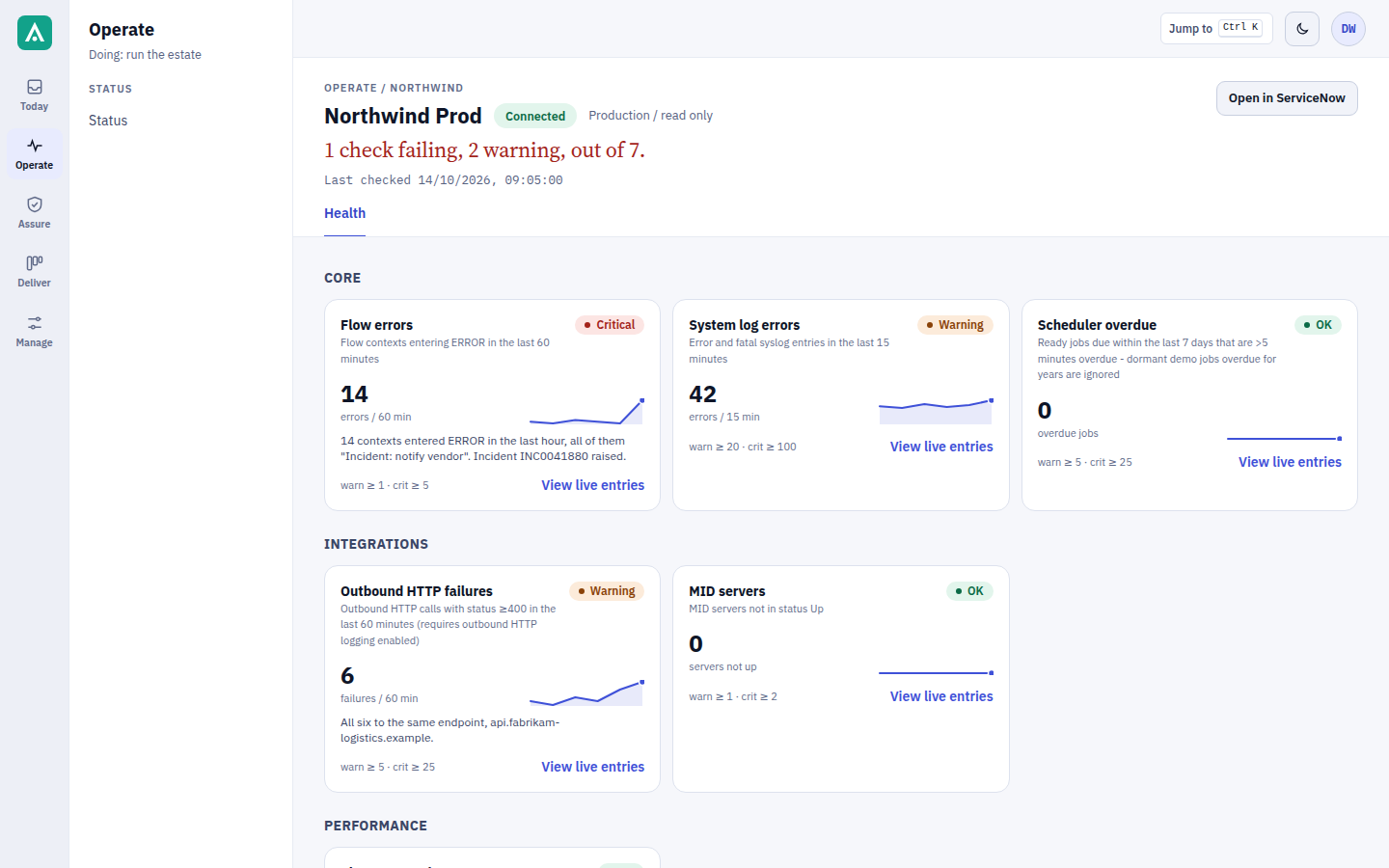
Made-up data throughout.
What is read on demand, and what never leaves your instance.
Read on demand, every day
- Health signals Ward
- Record counts, by state Ward
- Configuration against base Distil
- Store apps and plugin versions Transmute
- What changed, when, by whom Vault
Never copied out
- Incidents and requests on your instance
- Users and groups on your instance
- Configuration items on your instance
- Attachments and journals on your instance
- Catalog variables on your instance
Unreadable is never shown as clean.
A count Connect could not read says so, in amber, next to the counts it could; it is never a blank, a dash or a zero. "Nothing at risk" and "could not read it" are opposite conclusions and they never look alike.
Nothing needs installing.
Connect reads everything through ServiceNow's standard Table API. The one thing that API cannot do is apply store app and plugin updates; for that there is the Agent, a small app you can choose to install, and nothing else depends on it.
Your console is one click away.
Sign in with the account set up at onboarding. You land on your own instances and nothing else.